
Chapter 2 of 14
Open your shop
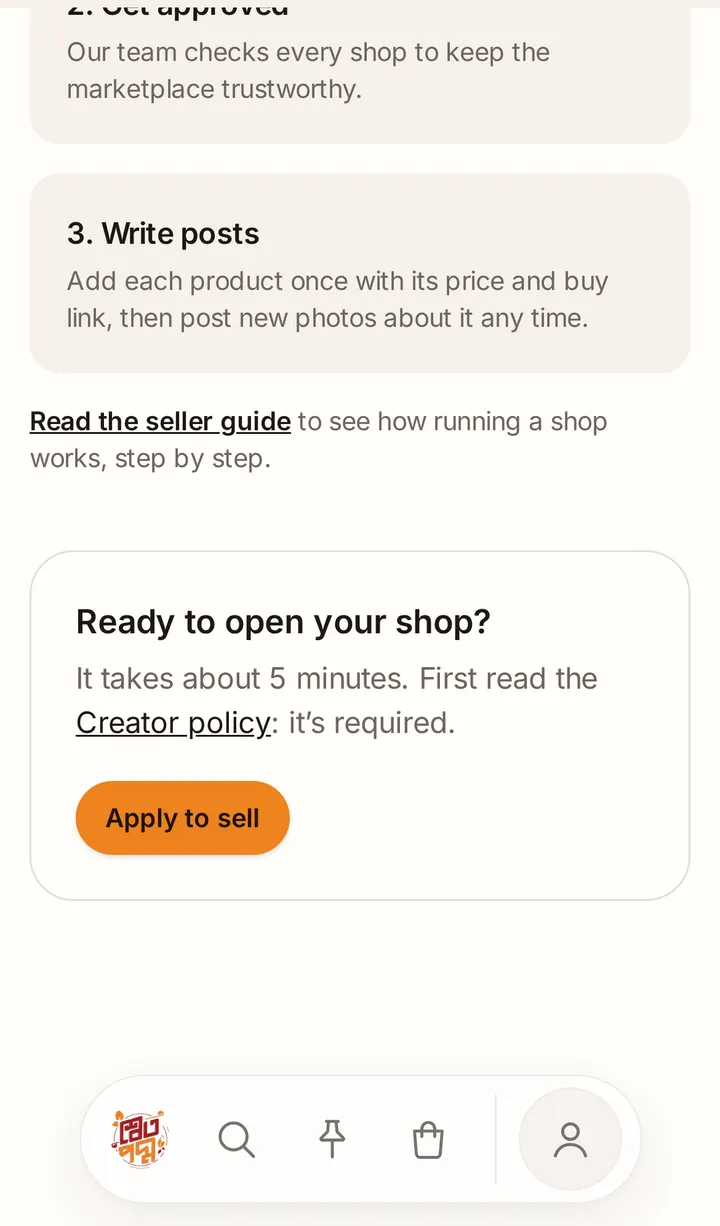
Every shop is reviewed before it opens. Applying takes about 5 minutes.
Read the rules first
Tap Sell on Shwetopadma on your profile, or Sell with us at the bottom of any page, and read the Creator policy. Reading it is required: by applying, you agree to it.
Verify your email and mobile
You need a verified email address and mobile number before you can apply. If one is missing, the form shows Before you apply with a button Verify in account settings. Enter the code we send you, then come back.
Fill in the application
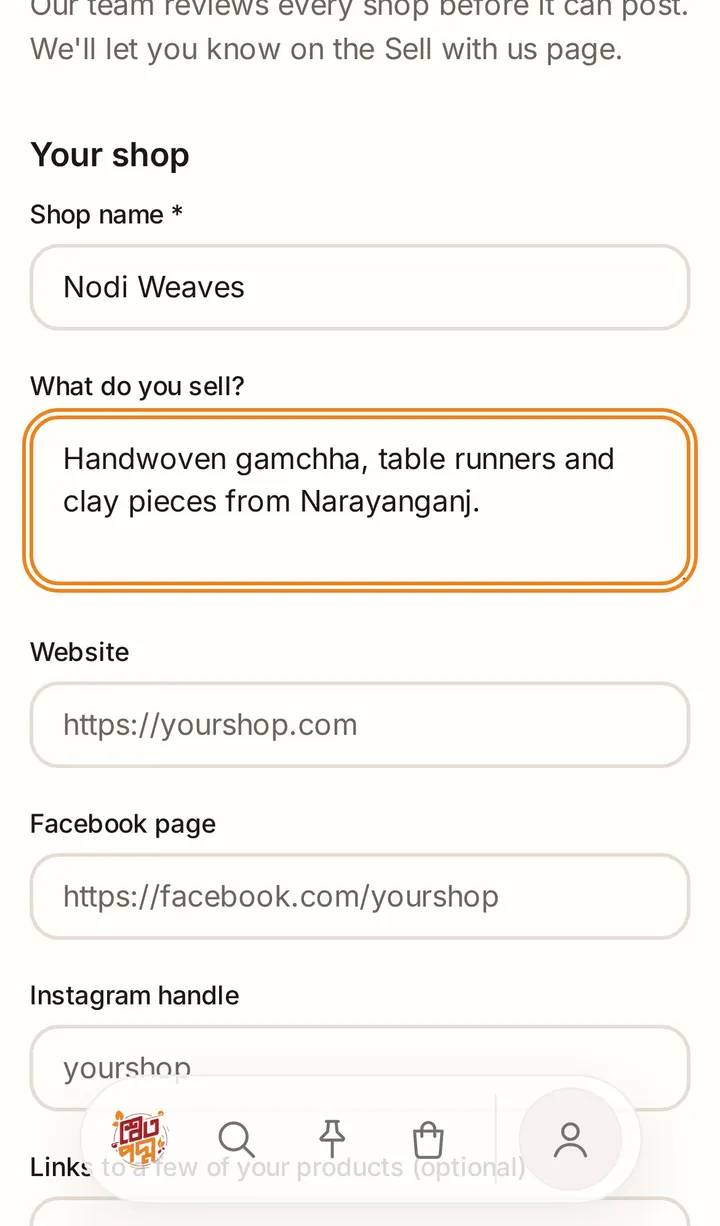
Tap Apply to sell and fill in:
- Your shop: shop name, what you sell, and your website, Facebook page or Instagram if you have them. You can add links to a few of your products.
- Contact & verification: your business address and district. You can add a photo of your NID or trade licence. Only our review team sees it; it is never shown on your shop.
- Policies: your return and refund policy and your delivery policy. These show on your shop page.
Tick I have read and agree to the Creator policy and community rules, then tap Send application.
Wait for our answer
We usually reply within 2 working days, by email and on the Sell with us page:
- You're approved! Your shop is open. Tap Your shop in the bar at the bottom to start.
- We need a little more information: read the note from our team, then tap Update application.
- Your application wasn't approved: the note says why. You can tap Apply again later.
Good to know
- Your shop's web address is made from its name when it opens. Renaming the shop later doesn't change the address.