
Chapter 6 of 14
Write posts
A post shows something new about a product you've added: a new colour, a customer's photo, back in stock. It appears in the feed and on the product's page.
Start a post
Tap the orange +, then Write a post. Or open a product's ··· menu on your shop page and tap New post. You need at least one product first.
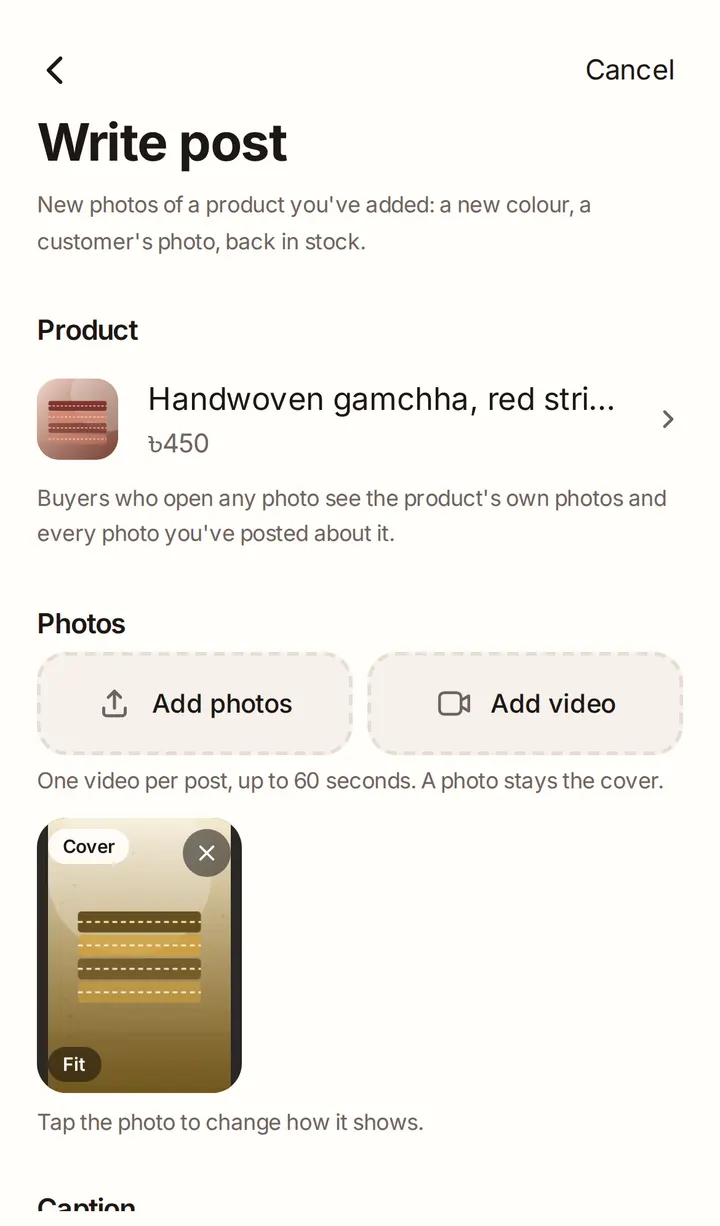
Choose the product
Pick the product the post is about under Product. Buyers who open the post can order that product.
Add photos, a video and a caption
Add up to 8 photos and, on Starter or Growth, one video, the same way as for a product. Write a Caption of up to 1,000 characters.
Tap Publish, or Save as draft to finish later.
Good to know
- A post's photos count towards its product's feed photos. If there are too many, we ask which ones to show.